Enigma Console
The Enigma Console provides administrative tools for managing your Enigma account. This section covers account settings, team management, authentication configuration, and integration setup.
What you can do
- Manage your team - Invite members, assign roles, and control access permissions
- Configure file exchange - Connect S3 or SFTP storage for batch data workflows
- Set up single sign-on - Enable SAML authentication with your identity provider
- Access your API key - Retrieve credentials for programmatic access
- View billing and usage - Monitor your credit balance and API consumption
Access your API key
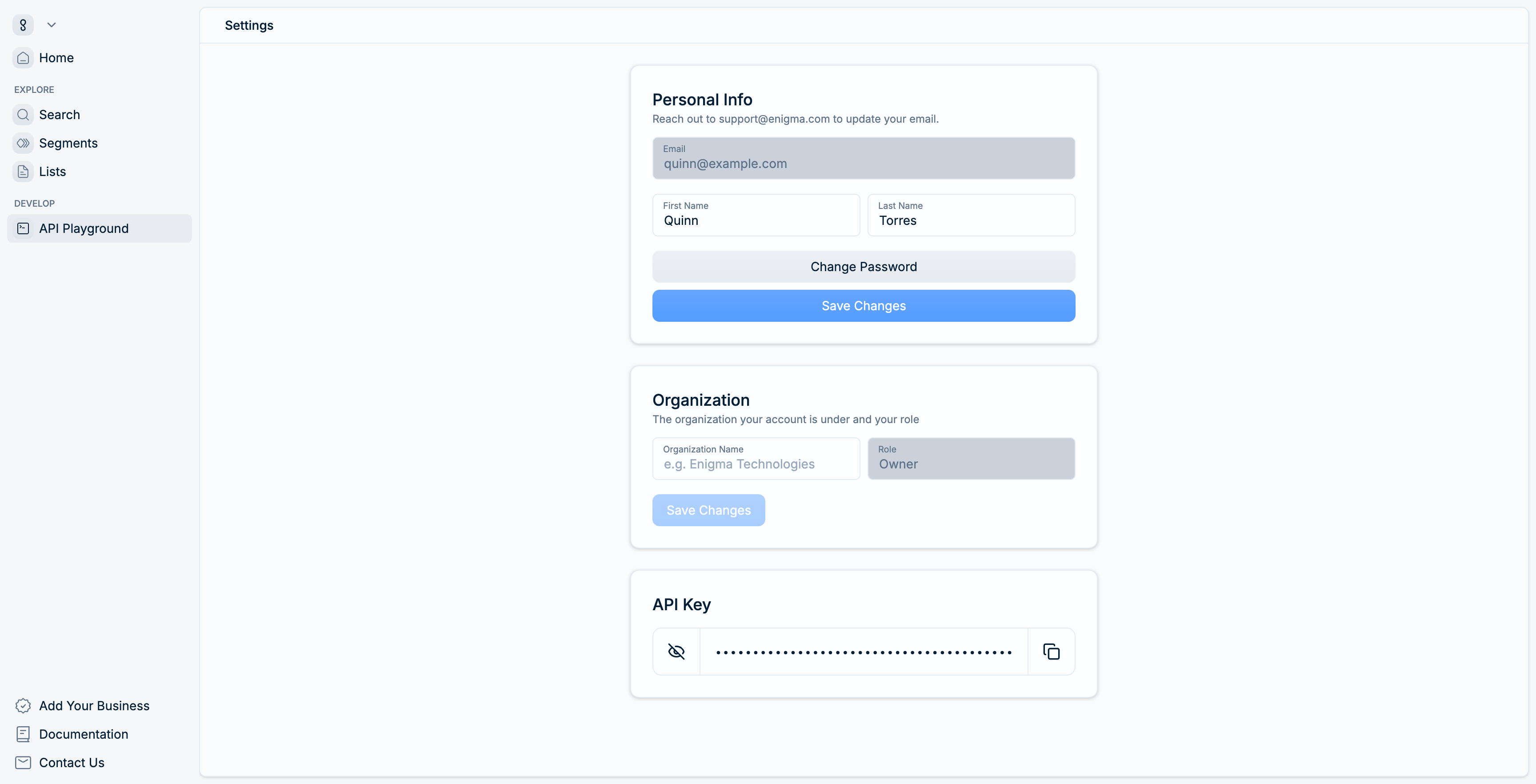
Your API key is required for all programmatic access to Enigma's APIs.
- Click your account menu in the top-right corner of the Console.
- Select Settings.
- Scroll to the API key section at the bottom of the page.
- Click the eye icon to reveal your key, then click the copy icon to copy it.
Update your profile
The Settings page includes a Personal info section where you can update your first and last name. To change your password, click the Change password button.
To update your email address, contact support@enigma.com.
Billing and usage
The Console provides visibility into your credit balance and API usage. Navigate to Billing & Usage from your account menu to view your plan details, usage breakdown, and invoice history.
Next steps
- Manage your team - Invite colleagues and assign roles
- Configure SSO - Set up SAML single sign-on
- Set up file exchange - Connect S3 or SFTP for data transfer